Applying Custom Resources
Airflow can apply custom resources from within a cluster, such as triggering Spark job by applying a SparkApplication resource. The steps below outline this process. The DAG consists of modularized Python files and is provisioned using the git-sync feature.
Define an in-cluster Kubernetes connection
To start a Spark job, Airflow must communicate with Kubernetes, requiring an in-cluster connection. This can be created through the Webserver UI by enabling the "in cluster configuration" setting:
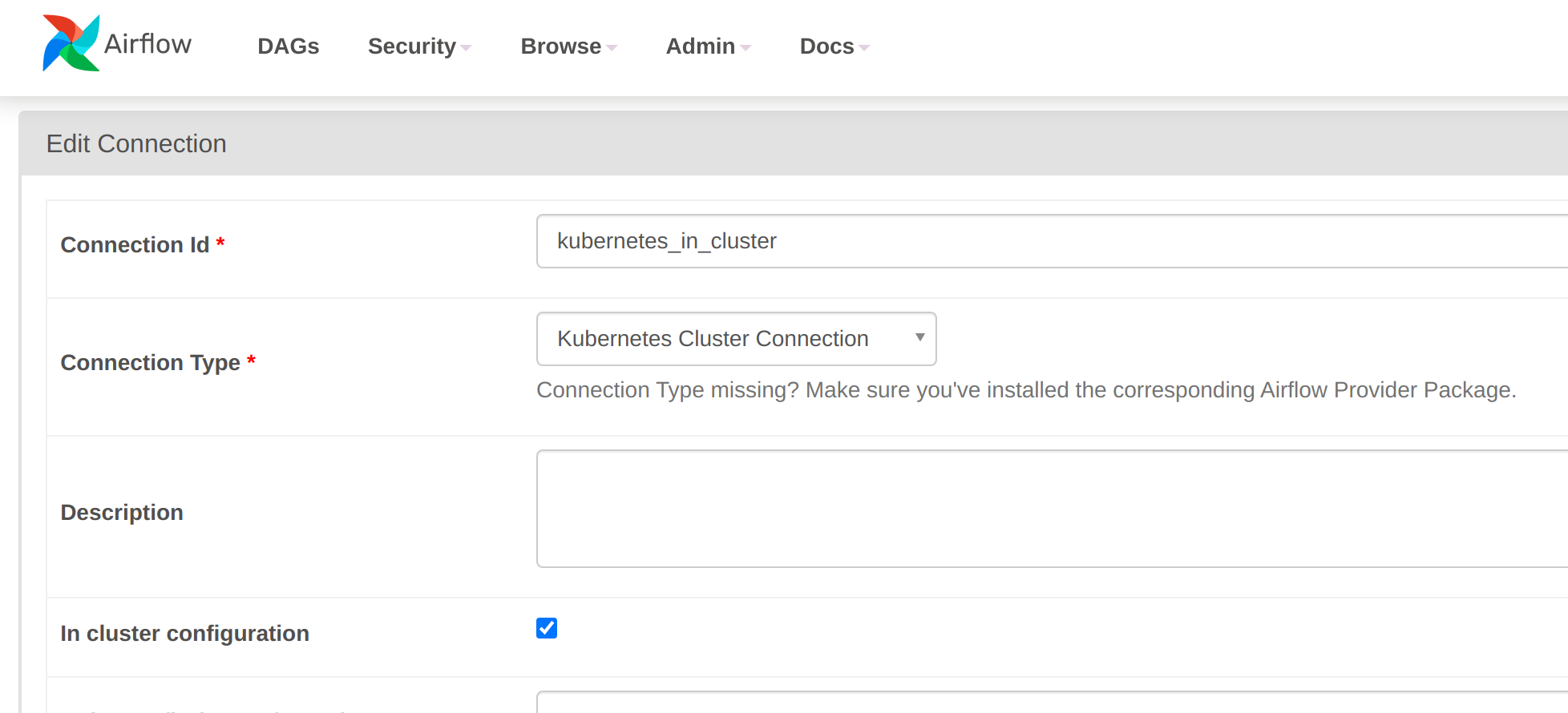
Alternatively, the connection can be defined using an environment variable in URI format:
AIRFLOW_CONN_KUBERNETES_IN_CLUSTER: "kubernetes://?__extra__=%7B%22extra__kubernetes__in_cluster%22%3A+true%2C+%22extra__kubernetes__kube_config%22%3A+%22%22%2C+%22extra__kubernetes__kube_config_path%22%3A+%22%22%2C+%22extra__kubernetes__namespace%22%3A+%22%22%7D"This can be supplied directly in the custom resource for all roles (Airflow expects configuration to be common across components):
---
apiVersion: airflow.stackable.tech/v1alpha1
kind: AirflowCluster
metadata:
  name: airflow
spec:
  image:
    productVersion: 3.3.1
  clusterConfig:
    loadExamples: false
    exposeConfig: false
    credentialsSecretName: airflow-admin-credentials
    metadataDatabase:
      postgresql:
        host: airflow-postgresql
        database: airflow
        credentialsSecretName: airflow-postgresql-credentials
    celeryResultsBackend:
      postgresql:
        host: airflow-postgresql
        database: airflow
        credentialsSecretName: airflow-postgresql-credentials
    celeryBroker:
      redis:
        host: airflow-redis-master
        credentialsSecretName: airflow-redis-credentials
  webservers:
    roleConfig:
      listenerClass: external-unstable
    roleGroups:
      default:
        envOverrides: &envOverrides
          AIRFLOW_CONN_KUBERNETES_IN_CLUSTER: "kubernetes://?__extra__=%7B%22extra__kubernetes__in_cluster%22%3A+true%2C+%22extra__kubernetes__kube_config%22%3A+%22%22%2C+%22extra__kubernetes__kube_config_path%22%3A+%22%22%2C+%22extra__kubernetes__namespace%22%3A+%22%22%7D"
        replicas: 1
  schedulers:
    roleGroups:
      default:
        envOverrides: *envOverrides
        replicas: 1
  celeryExecutors:
    roleGroups:
      default:
        envOverrides: *envOverrides
        replicas: 1
# in case of using kubernetesExecutors
#  kubernetesExecutors:
#    envOverrides: *envOverrides
Define a cluster role for Airflow to create SparkApplication resources
Airflow cannot create or access SparkApplication resources by default - a cluster role is required for this:
---
apiVersion: rbac.authorization.k8s.io/v1
kind: ClusterRole
metadata:
  name: airflow-spark-clusterrole
rules:
- apiGroups:
  - spark.stackable.tech
  resources:
  - sparkapplications
  verbs:
  - create
  - get
and a corresponding cluster role binding:
---
apiVersion: rbac.authorization.k8s.io/v1
kind: ClusterRoleBinding
metadata:
  name: airflow-spark-clusterrole-binding
roleRef:
  apiGroup: rbac.authorization.k8s.io
  kind: ClusterRole
  name: airflow-spark-clusterrole
subjects:
- apiGroup: rbac.authorization.k8s.io
  kind: Group
  name: system:serviceaccounts
DAG code
For the DAG itself, the job is a modularized DAG that starts a one-off Spark job to calculate the value of pi. The file structure, fetched to the root git-sync folder, looks like this:
dags
|_ stackable
  |_ __init__.py
  |_ spark_kubernetes_operator.py
  |_ spark_kubernetes_sensor.py
|_ pyspark_pi.py
|_ pyspark_pi.yaml
The Spark job calculates the value of pi using one of the example scripts that comes bundled with Spark:
---
apiVersion: spark.stackable.tech/v1alpha1
kind: SparkApplication
metadata:
  name: pyspark-pi
spec:
  sparkImage:
    productVersion: 3.5.7
  mode: cluster
  mainApplicationFile: local:///stackable/spark/examples/src/main/python/pi.py
  executor:
    replicas: 1
This is called from within a DAG by using the connection that was defined earlier.
It is wrapped by the KubernetesHook that the Airflow Kubernetes provider makes available here.
There are two classes that are used to:
-
start the job
-
monitor the status of the job
The classes SparkKubernetesOperator and SparkKubernetesSensor are located in two different Python modules as they are typically used for all custom resources and thus are best decoupled from the DAG that calls them.
This also demonstrates that modularized DAGs can be used for Airflow jobs as long as all dependencies exist in or below the root folder pulled by git-sync.
The two modules are not reproduced here: the repository this layout is taken from is private, as it is used to test git-sync access to protected repositories.
The Airflow demo shows the same two classes publicly, using a different layout: it defines them in pyspark_pi.py itself, before the DAG code, and mounts that file into the Airflow cluster from a ConfigMap.
Both classes use the kubernetes_in_cluster connection defined above unless a different one is passed as kubernetes_conn_id.
#
# Licensed to the Apache Software Foundation (ASF) under one
# or more contributor license agreements.  See the NOTICE file
# distributed with this work for additional information
# regarding copyright ownership.  The ASF licenses this file
# to you under the Apache License, Version 2.0 (the
# "License"); you may not use this file except in compliance
# with the License.  You may obtain a copy of the License at
#
#   http://www.apache.org/licenses/LICENSE-2.0
#
# Unless required by applicable law or agreed to in writing,
# software distributed under the License is distributed on an
# "AS IS" BASIS, WITHOUT WARRANTIES OR CONDITIONS OF ANY
# KIND, either express or implied.  See the License for the
# specific language governing permissions and limitations
# under the License.

"""Example DAG demonstrating how to apply a Kubernetes Resource from Airflow running in-cluster"""

from datetime import datetime, timedelta, timezone
from airflow import DAG
from airflow.exceptions import AirflowException
from airflow.utils import yaml
import os
from stackable.spark_kubernetes_sensor import SparkKubernetesSensor
from stackable.spark_kubernetes_operator import SparkKubernetesOperator


with DAG(  (1)
    dag_id="sparkapp_dag",
    schedule=None,
    start_date=datetime(2022, 1, 1),
    catchup=False,
    dagrun_timeout=timedelta(minutes=60),
    tags=["example"],
    params={},
) as dag:

    def load_body_to_dict(body):
        try:
            body_dict = yaml.safe_load(body)
        except yaml.YAMLError as e:
            raise AirflowException(f"Exception when loading resource definition: {e}\n")
        return body_dict

    yaml_path = os.path.join(
        os.environ.get("AIRFLOW__CORE__DAGS_FOLDER", ""), "pyspark_pi.yaml"
    )

    with open(yaml_path, "r") as file:
        crd = file.read()
    with open("/run/secrets/kubernetes.io/serviceaccount/namespace", "r") as file:
        ns = file.read()

    document = load_body_to_dict(crd)
    application_name = "pyspark-pi-" + datetime.now(timezone.utc).strftime(
        "%Y%m%d%H%M%S"
    )
    document.update({"metadata": {"name": application_name, "namespace": ns}})

    t1 = SparkKubernetesOperator(  (2)
        task_id="spark_pi_submit",
        namespace=ns,
        application_file=document,
        do_xcom_push=True,
        dag=dag,
    )

    t2 = SparkKubernetesSensor(  (3)
        task_id="spark_pi_monitor",
        namespace=ns,
        application_name="{{ task_instance.xcom_pull(task_ids='spark_pi_submit')['metadata']['name'] }}",
        poke_interval=5,
        dag=dag,
    )

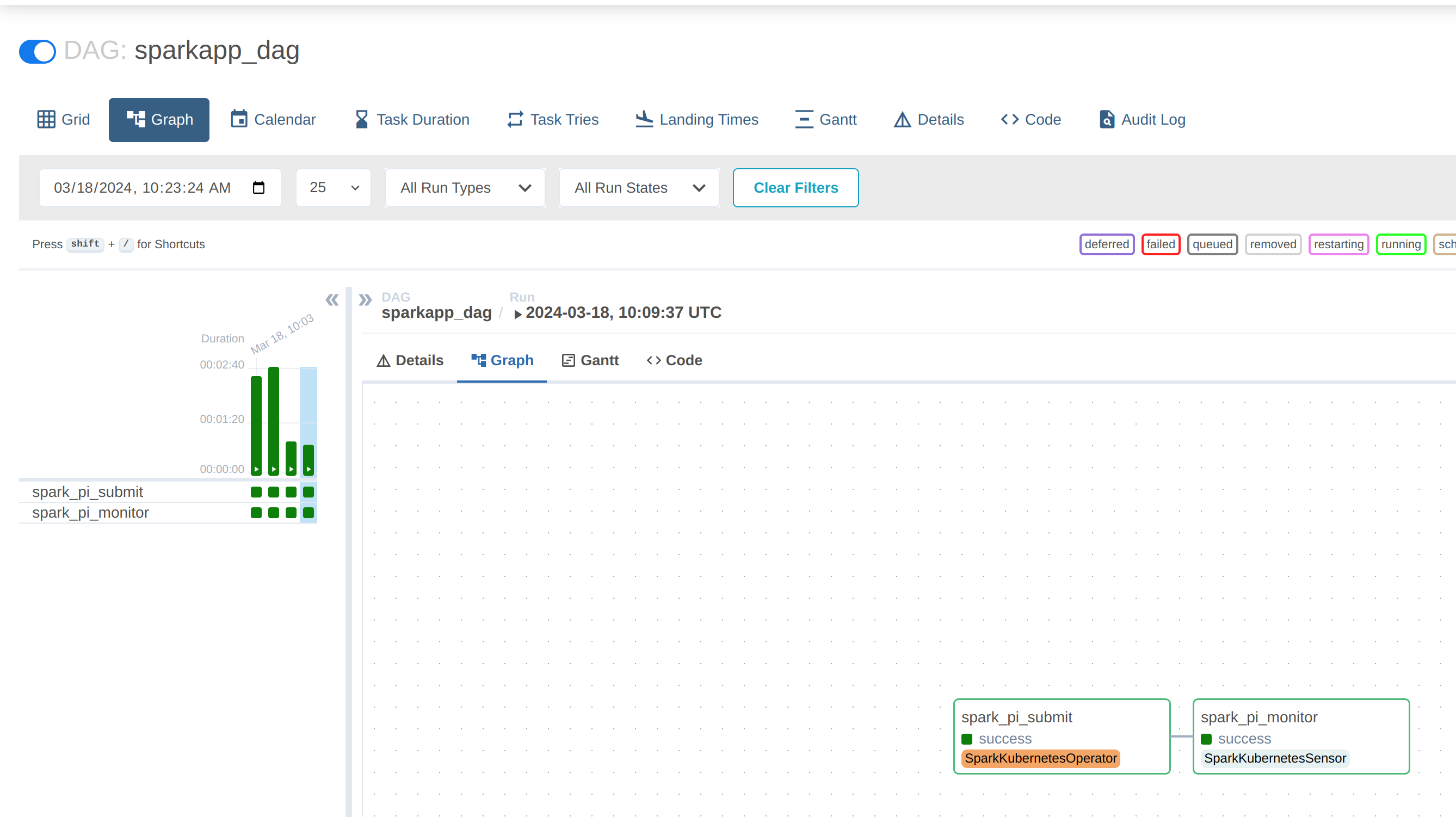
t1 >> t2 (4)| 1 | the start of the DAG code |
| 2 | the initial task to invoke the job |
| 3 | the subsequent task to monitor the job |
| 4 | the jobs are chained together in the correct order |
|
To persist Spark driver and executor logs independently of any Airflow configuration (such as remote logging), enable log aggregation for the SparkApplication as described in Logging, or use the Spark history server for event logs. |
Once this DAG is mounted in the DAG folder it can be called and its progress viewed from within the Webserver UI:
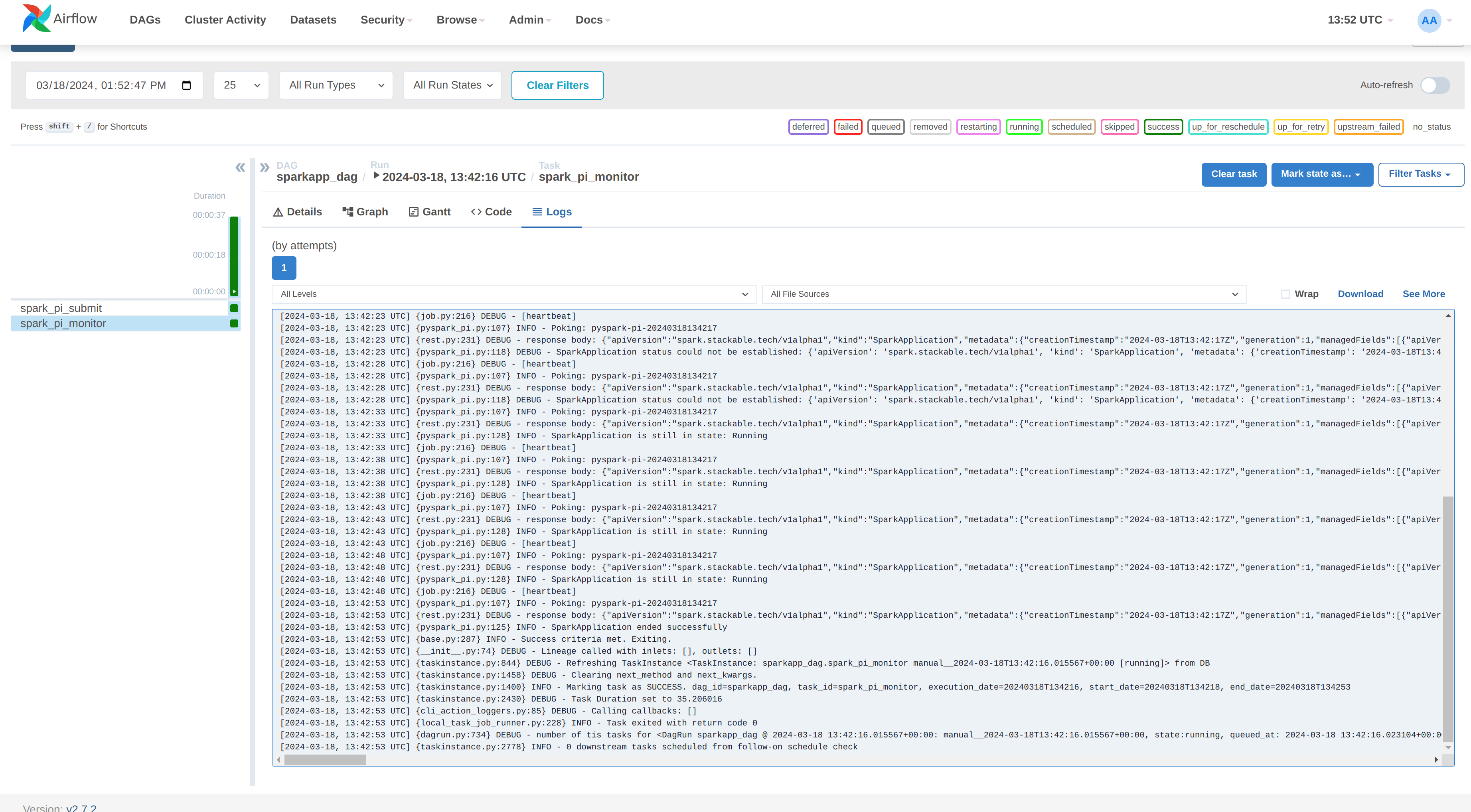
Clicking on the "spark_pi_monitor" task and selecting the logs shows that the status of the job has been tracked by Airflow:
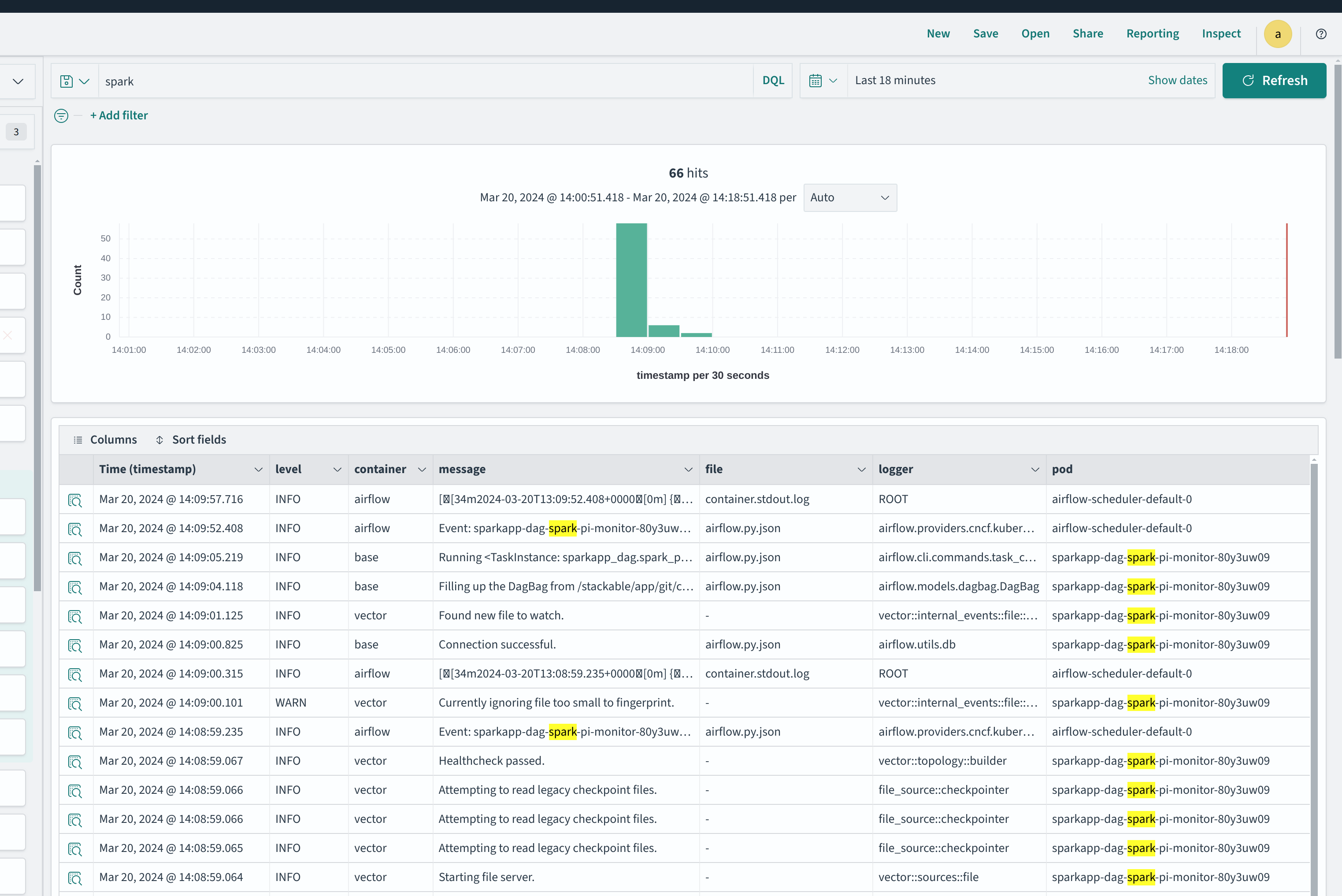
If the KubernetesExecutor is employed the logs are only persisted via the SDP logging mechanism, described here or with remote logging.
|
Logging
As mentioned above, the Airflow task logs are always available from the webserver UI if the jobs run with the celeryExecutor or if remote logging has been configured.
If the SDP logging mechanism has been deployed, log information can also be retrieved from the vector backend (e.g. Opensearch):